Getting started
Grasshopper is a visual programming tool created for designers and engineers to use in conjunction with Rhinoceros. The program requires little to no programming expertise and is easy to learn.
The SIMPLEX toolbox for Grasshopper contains a set of functions that can be used to communicate with Simplex through API calls allowing its users to create parametric models, run iterative analyses and create automated workflows.
Installation
In order to use Simplex for Grasshopper you need to have Rhino3d installed on your computer. You can install Simplex, also known as add-ons, using the Package Manager.
Package Manager
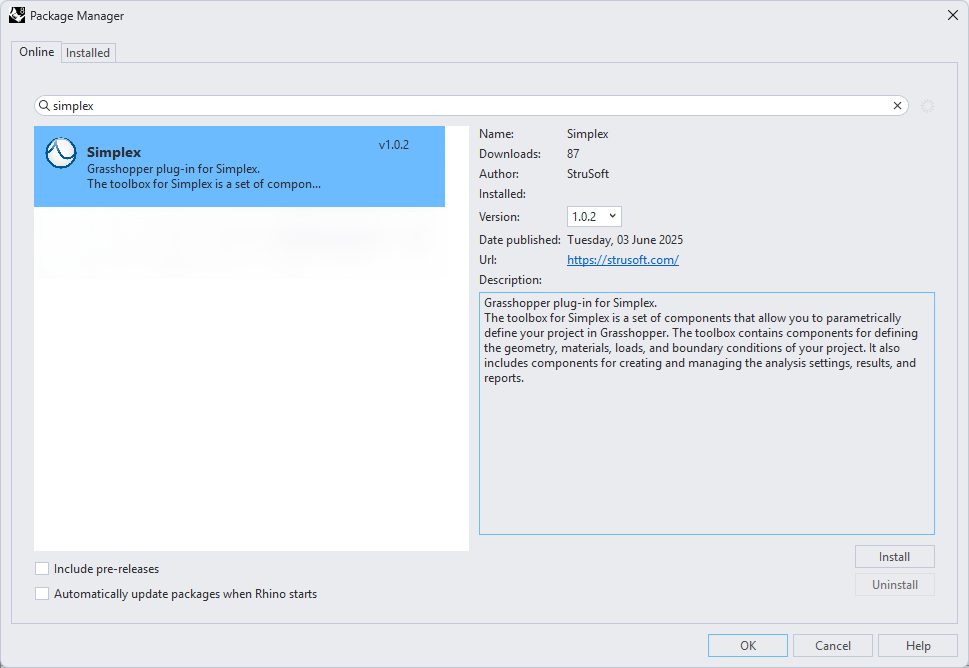
- Open Rhino3D and launch the Package Manager from the Tools menu.
- Search for Simplex and click the "Install" button. The Package Manager will download and install the plugin.
- Restart Rhino3D to activate the plugin. You should now be able to use the plugin in Grasshopper.
Congratulations! 🎉 You have successfully installed Simplex for Grasshopper and the tool will be seen in Simplex tab.
Authentication & Login
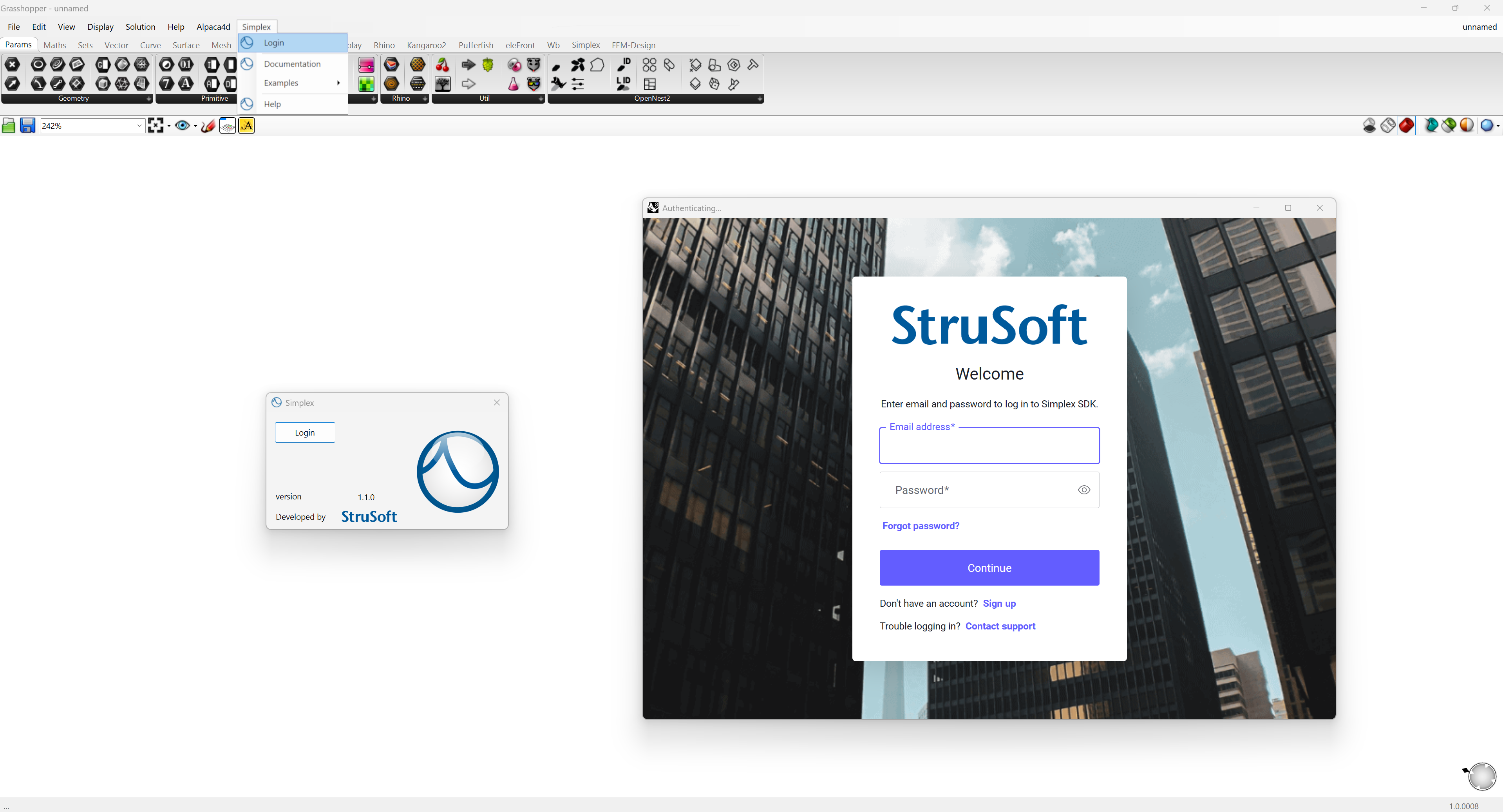
Before you can start using Simplex for Grasshopper, you need to log in to your account. Authentication ensures secure access to the API and allows Simplex to manage your data, preferences, and requests safely.
To log in, go to Grasshopper menu bar > Simplex > Login
If you don’t have an account yet, you’ll need to sign up before proceeding.
.NET Core Configuration
To ensure full compatibility with the Simplex API and modern integration workflows, Rhinoceros must be configured to run in .NET Core. This environment provides better performance, improved cross-platform support, and access to the latest API and language features.
Before proceeding, make sure your Rhino installation is set up for .NET Core development.
📘 Learn more: Running Rhino in .NET Core – Official Rhino Documentation